Introduction
If you have ever wondered why some websites always show up at the top of Google while others stay buried on page five, meta tags are often part of the answer. They are small, but they carry a lot of weight. Search engines use them to understand your page, and users judge your page based on them before they even click.
In this guide, you will learn how to create meta tags for SEO in a simple, step-by-step way. We will cover what good meta tags look like, how to write SEO meta tags that actually get clicks, and how a tags generator can save you hours of manual work.
What Are Meta Tags in SEO?
Meta tags are small pieces of HTML code placed in the <head> section of a webpage. They don't appear on the visible part of your site, but they tell search engines and browsers important information about your page, things like what the page is about, who wrote it, and how it should be displayed in search results.
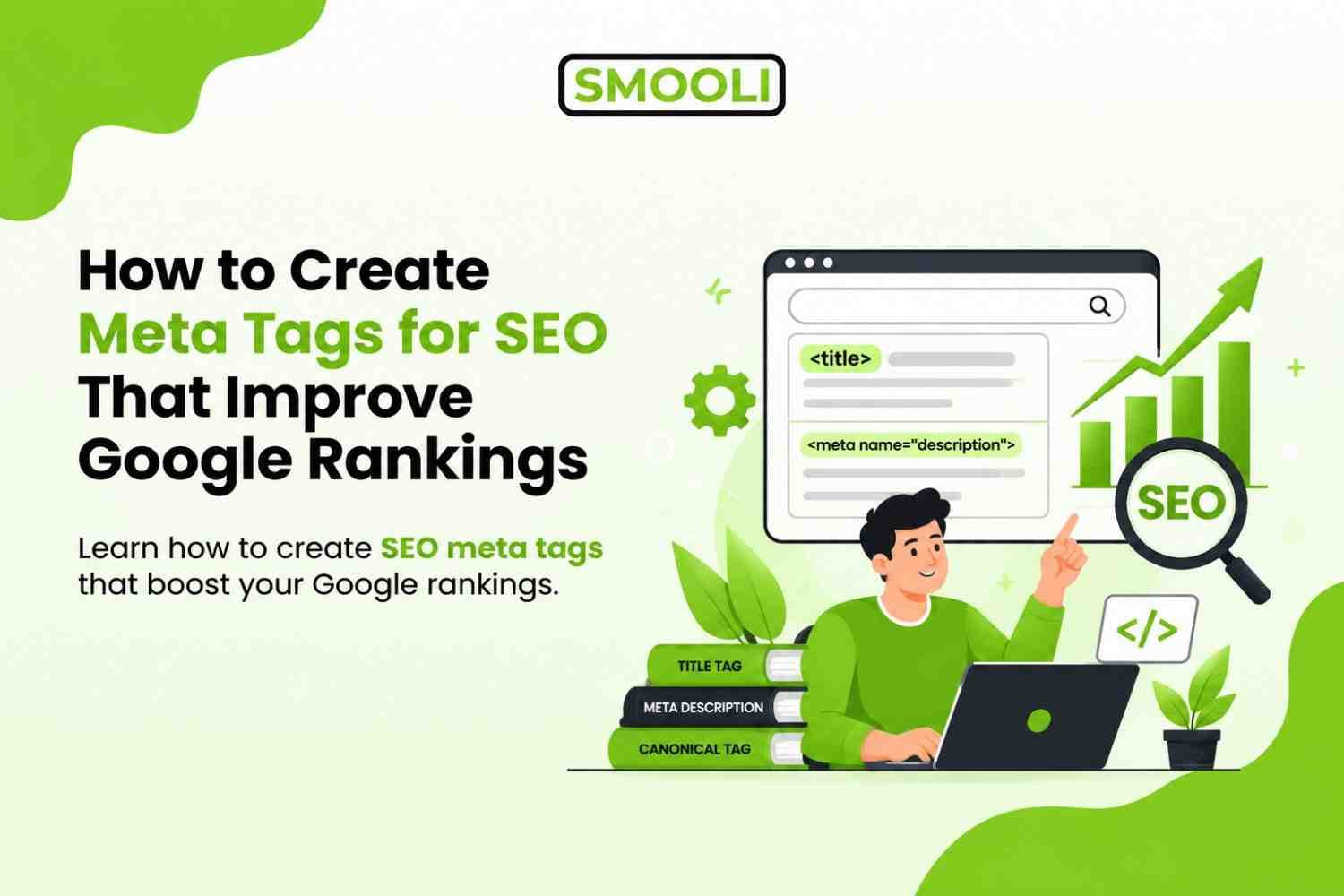
There are several types of meta tags, but for SEO purposes, the most important ones are:
- Meta title tag: the clickable headline shown in search results
- Meta description tag: the short summary below the title
- Meta robots tag: tells search engines whether to index or follow a page
- Meta viewport tag: controls how a page looks on mobile devices
- Canonical tag: prevents duplicate content issues
Each of these plays a different role, but together they form the foundation of on-page SEO. If you want a deeper breakdown with real examples, this complete guide on how to use meta tags for SEO walks through each tag type with practical use cases.
Step-by-Step Guide to Creating SEO Meta Tags
Now that you know the theory, let's go through the actual process of creating meta tags for SEO.
Step 1: Research Your Target Keyword and Related Terms
Before writing anything, know your primary keyword and a few secondary or LSI (Latent Semantic Indexing) keywords related to it. For a page like this one, that would include terms like "meta tags," "SEO meta tags," "meta tag generator," "title tag," "meta description," and "search engine optimization."
Use tools like Google Search Console, Ahrefs, SEMrush, or even Google's autocomplete and "People Also Ask" section to find these related terms naturally.
Step 2: Write a Compelling Meta Title
Your title tag should:
- Include your primary keyword close to the beginning
- Stay under approximately 60 characters
- Sound natural, not robotic
- Match what the page actually delivers
Bad example: "Meta Tags | SEO Meta Tags | Best Meta Tags Guide"
Good example: "How to Create Meta Tags for SEO That Improve Google Rankings"
The second version reads like a real sentence and gives a clear benefit, better rankings, which is far more likely to earn a click.
Step 3: Write a Persuasive Meta Description
Your meta description should summarize the page's value in one or two short sentences. Include the primary keyword, a secondary keyword if it fits naturally, and a small call to action or benefit statement.
Example: "Discover how to create meta tags for SEO with simple examples of good meta tags, plus a free tool to generate SEO meta tags instantly."
Notice how this naturally includes the main keyword and two secondary keywords without feeling forced.
Step 4: Add Supporting Meta Tags
Once your title and description are set, make sure the rest of your technical meta tags are in place:
- Set the viewport tag so your page is mobile-friendly
- Add a canonical tag if there's any chance of duplicate URLs
- Use the robots tag correctly. Most pages should say "index, follow" unless you specifically want to block indexing.
- Add Open Graph tags for better appearance when shared on social media
Step 5: Test How Your Meta Tags Will Appear in Search Results
Before publishing, preview how your title and description will look in actual search results. Many SEO plugins, like Yoast or Rank Math for WordPress, show a live preview as you type. This helps you catch truncation issues before they go live.
Step 6: Use a Meta Tag Generator to Speed Up the Process
Writing meta tags manually for every single page on a large website can be time-consuming. This is where a reliable meta tag generator becomes useful, it helps you quickly produce properly formatted title tags, descriptions, and other meta elements without missing character limits or required syntax.
A good generator won't replace your judgment about keywords and messaging, but it removes the repetitive technical work, letting you focus on writing text that actually persuades people to click.
Step 7: Review and Update Regularly
SEO isn't a one-time task. Revisit your meta tags every few months, especially for your top-performing pages. Check your Google Search Console data, if a page has high impressions but low CTR, that's often a sign your meta title or description needs improvement.
Common Mistakes to Avoid When Writing SEO Meta Tags
Even experienced website owners fall into these traps. Here are the most common ones:
- Duplicate meta tags across multiple pages. This confuses search engines about which page is actually relevant for a given query.
- Titles that are too generic. "Home" or "Blog Post" as a title tag wastes valuable SEO real estate.
- Ignoring character limits. Descriptions that get cut off mid-sentence look unprofessional and reduce clicks.
- Keyword stuffing. Repeating the same keyword multiple times in a title or description looks spammy and can actually hurt trust.
- Missing meta descriptions entirely. When you leave this blank, Google will often auto-generate one from your page content, which is rarely as persuasive as something you'd write yourself.
- Forgetting mobile optimization. Without a proper viewport tag, your page may look broken on phones, which affects both user experience and rankings.
- Not aligning meta tags with actual page content. If your meta description promises something the page doesn't deliver, users will bounce quickly, which sends a negative signal to search engines.
What Makes Good Meta Tags?
Not all meta tags are created equal. A lot of websites technically have meta tags, but they are either too generic, stuffed with keywords, or simply missing the persuasive element that makes someone want to click.
Here's what good meta tags actually look like:
Include the Primary Keyword Naturally
Search engines still use keyword relevance as a signal, even in an AI-driven search era. If your main keyword is "how to create meta tags for SEO," it should appear in your title tag and ideally near the beginning of your meta description, without sounding robotic.
Stay Within the Right Character Limits
Google typically displays:
- Title tags up to around 55-60 characters
- Meta descriptions up to around 150-160 characters
Going over these limits doesn't break your page, but Google may truncate the text, which can cut off your message mid-sentence and hurt CTR.
They Are Unique for Every Page
One of the most common SEO mistakes is using the same meta description across dozens of pages. Search engines notice this, and it weakens the individual relevance of each page. Every page on your site should have its own custom title and description.
Match Search Intent
Good meta tags don't just describe the page, they answer the searcher's underlying question. If someone searches "how to create meta tags for SEO," they want a tutorial, not a sales pitch. Your meta description should reflect that intent.
Include a Reason to Click
This is where copywriting skills come into play. Good meta tags often include a small hook, a benefit, a number, or a promise of clarity. For example:
"Learn how to create meta tags for SEO step-by-step, with real examples of good meta tags and a free generator to speed things up."
This tells the reader exactly what they'll get and why it's worth their time.
FAQs About Creating Meta Tags for SEO
1. What are good meta tags?
Good meta tags accurately describe your page, include relevant keywords naturally, and encourage users to click without using misleading or repetitive text.
2. Do meta tags help improve Google rankings?
Meta tags help Google understand your content, while optimized title tags can improve click-through rates, which may positively impact your overall SEO performance.
3. What is the ideal length for a meta title?
A meta title should generally be between 50 and 60 characters to avoid being truncated in Google search results.
4. How long should a meta description be?
Keep your meta description between 150 and 160 characters so it displays properly and provides a concise summary of your page.
5. Can I use the same meta tags on multiple pages?
No. Every page should have unique SEO meta tags that match its content to avoid duplicate metadata and improve search relevance.
6. What is a meta tags generator?
A meta tags generator is a tool that creates SEO-friendly title tags, meta descriptions, robots tags, and other HTML meta tags based on your input.
Final Thoughts
Learning how to create meta tags for SEO doesn't require advanced technical skills. It simply requires clear writing, attention to detail, and a focus on both users and search engines. Good meta tags should accurately describe your content, include relevant keywords naturally, and encourage users to click.
Start by auditing your existing pages for missing meta descriptions, duplicate title tags, or metadata that doesn't match your content. Then, research your target keywords, write compelling titles and descriptions, and add essential technical tags like robots and canonical tags where needed. To save time and create optimized SEO meta tags with ease, use the Smooli Meta Tag Generator, which helps you generate clean, search-engine-friendly meta tags in just a few clicks.