Introduction:
Meta tags are small pieces of HTML code that help search engines understand your webpage. While visitors usually don't see them on the page itself, they play an important role behind the scenes by providing information about your content.
In this guide, you'll learn how to use meta tags for SEO the right way, what each type of tag does, how many keywords you should actually use, whether Google even reads the keywords meta tag anymore, and how to write a meta description that gets clicks. We'll also walk through real meta tag examples so you can copy the format for your own pages.
Today, SEO isn't just about ranking on Google. Search engines now work alongside Al assistants like ChatGPT, Google Al Overviews, Gemini, and Perplexity. These systems rely on well-structured pages with clear metadata, making optimized meta tags more valuable than ever.
What Is a Meta Tag?
A meta tag is a snippet of HTML code placed in the
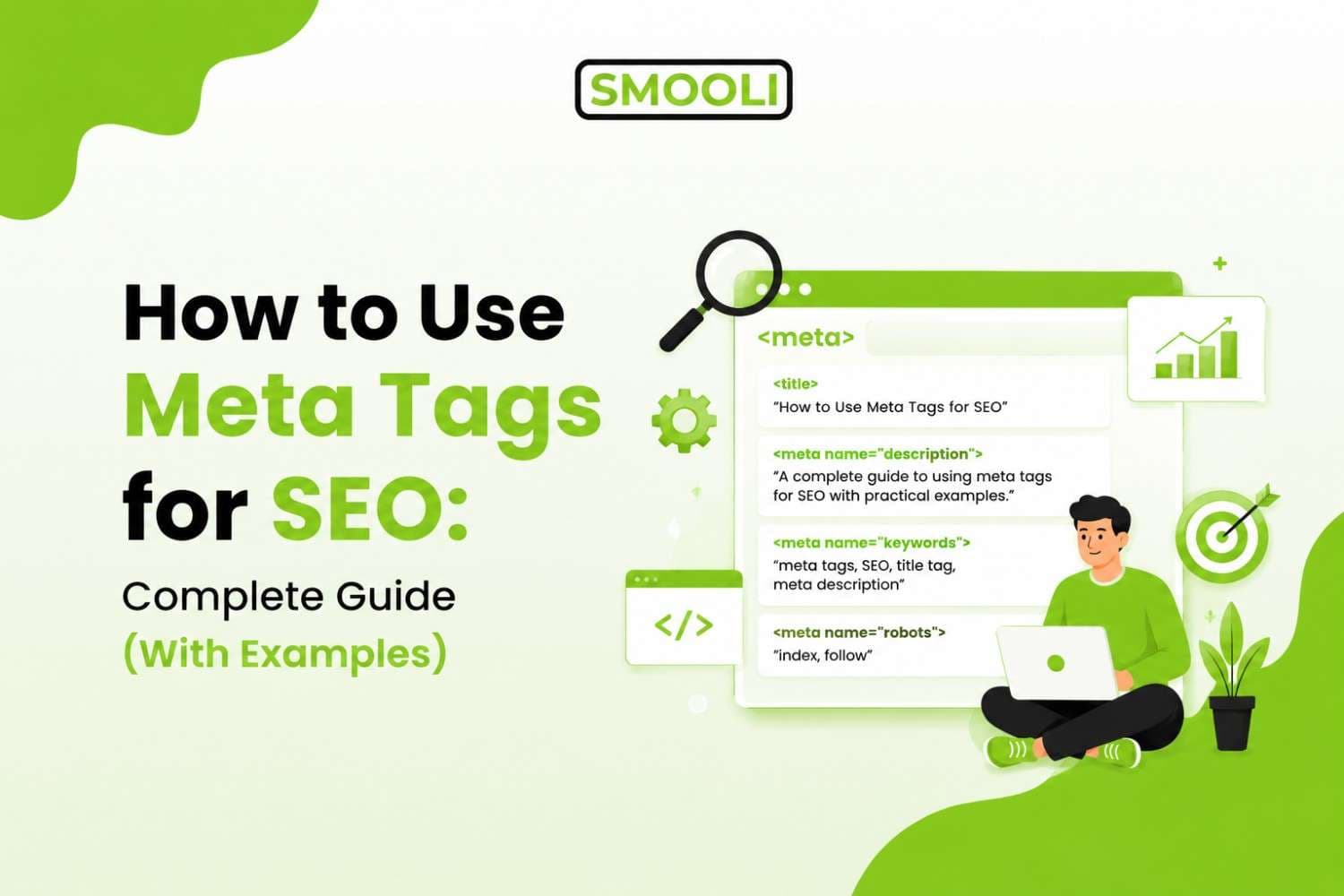
section of a webpage that gives search engines and browsers information about the page. Unlike headings and paragraphs, meta tags usually aren't visible to website visitors. Instead, they help explain what your page is about and how it should appear in search results or when shared online.Here's a simple example:
<head>
<title>How to Use Meta Tags for SEO</title>
<meta name="description" content="Learn how to use meta tags for SEO with
examples and best practices.">
<meta name="robots" content="index, follow">
<meta charset="UTF-8">
</head>
Each tag has a different purpose. Some tell search engines to index your page, while others provide a summary that may appear in Google Search results.
How to Use Meta Tags for SEO (Step-by-Step Guide)
Now let's get into the actual process.
Step 1: Research Your Primary and Secondary Keywords
Before writing any tag, know the primary keyword your page is targeting, along with two or three closely related secondary keywords or LSI (Latent Semantic Indexing) keywords. LSI keywords are terms that are conceptually related to your main keyword, and using them naturally in your title, description, and body content helps search engines understand the full context of your page, not just isolated phrases.
For a page like this one, LSI keywords would include terms like on-page SEO, title tag optimization, SERP snippet, search engine crawlers, click-through rate, and technical SEO.
Step 2: Write a Keyword-Focused Title Tag
Your title tag should:
- Stay under roughly 55-60 characters so it doesn't get truncated
- Include your primary keyword, ideally near the beginning
- Be specific and benefit-driven, not vague
Step 3: Write a Compelling Meta Description Tag
Your meta description should summarize the page, include your primary keyword naturally, and give the searcher a reason to click. Keep it under 160 characters so Google doesn't cut it off.
.jpg&w=1920&q=75)
Step 4: Add a Meta Robots Tag (When Needed)
For most public content pages, index, follow is correct. Use noindex for thank-you pages, internal search results, or duplicate content you don't want ranked.
Step 5: Set Up a Canonical Tag
If your content exists on more than one URL (like a page with tracking parameters), add a canonical tag pointing to the main version to avoid duplicate content issues.
Step 6: Add a Viewport Meta Tag
This is a technical SEO must-have. Without it, your page may not display properly on mobile, which hurts both usability and mobile search rankings.
Step 7: Add Open Graph Tags for Social Sharing
Even if social sharing isn't your primary traffic source, Open Graph tags improve how your link looks when shared, which supports brand trust and click-through rate from social channels.
Step 8: Check Keyword Usage and Density
This is where many beginners get it wrong, either stuffing too many keywords into their tags or using none at all. A simple way to check your content's keyword balance is to run your page copy through a keyword density checker. This shows you exactly how often your target keyword and related terms appear, so you can adjust your content and meta tags to stay natural instead of over-optimized.
Step 9: Create SEO-Friendly Meta Tags Faster with Smooli
Writing clean, correctly formatted meta tags by hand for every page can get repetitive, especially if you're managing a large website. Instead, you can use a free meta tag generator to quickly create properly structured title, description, and keyword tags. It helps you avoid formatting mistakes and makes sure nothing important is missing from your page's head section.
Step 10: Test and Review in Search Results
Before publishing, preview how your title and description will look in search results. Adjust length and wording if anything looks awkward, cut off, or unclear.
How Many Keywords Should You Use in a Meta Tag?
This is one of the most common questions beginners ask, and the honest answer is: fewer than most people think.
For a title tag, use your primary keyword once, ideally near the start. Trying to fit in multiple keyword variations usually makes the title sound unnatural and can hurt your click-through rate.
For a meta description, you can naturally include your primary keyword plus one or two closely related secondary keywords, but only if they fit smoothly into a sentence a real person would want to read. If you're forcing in three, four, or five keyword phrases, you're likely creating a keyword-stuffed description that looks spammy and performs worse in terms of clicks.
A good rule of thumb:
- Title tag: 1 primary keyword
- Meta description: 1 primary keyword + 1-2 related secondary or LSI keywords, used naturally
- Body content: Primary keyword plus supporting LSI keywords spread naturally throughout, not repeated excessively
Does Google Use the Keywords Meta Tag?
No. Google has publicly confirmed that it does not use the meta keywords tag as a ranking factor. This has been the case since 2009, when Google officially announced that this tag holds no weight in its search algorithm.
Here's what that means in practice:
- Adding a list of keywords in the meta keywords tag will not help your page rank higher
- Google's crawlers largely ignore this tag when evaluating page relevance
- Some other search engines historically gave it minor weight, but its influence today is negligible across the board
So why do some SEO tools and templates still include a meta keywords field? Mostly out of habit and legacy support. It's not harmful to include a short, accurate meta keywords tag, but it's also not going to move the needle on your rankings. Your time is far better spent optimizing your title tag, meta description, header tags, and actual page content, since those are the elements search engines genuinely use to evaluate and rank your page.
This is also a great example of why staying updated on search engine optimization guidelines matters. SEO advice that was accurate ten years ago can become outdated as search engines evolve.
Why Meta Tags Still Matter for SEO in 2026
Some people assume meta tags are outdated since search engines have become smarter with semantic SEO and Al-driven ranking systems. That's not true. While a few specific meta tags have lost their ranking power over the years, meta tags as a whole are still one of the easiest and most effective on-page SEO tools you have.
Here's why they still matter:
Improve Click-Through Rate (CTR)
A well-crafted title tag and meta description can significantly increase your click-through rate. These elements are often the first thing users see in search results, making them a key factor in whether someone clicks your page or chooses a competitor's.
Help Search Engines Understand Your Content
Meta tags provide valuable context about your page. Clear, relevant title tags and descriptions help search engines better understand your content, improving indexing, categorization, and the chances of appearing for relevant search queries.
Enhance Social Media Sharing
Open Graph and Twitter Card meta tags control how your content appears when it's shared on social media platforms. By defining the title, description, and preview image, you can create more engaging and professional-looking link previews that attract more clicks.
Control Crawling and Indexing
Meta robots tags give you control over how search engines interact with your pages. They allow you to specify whether a page should be indexed, whether links should be followed, and prevent unnecessary or duplicate pages from appearing in search results.
Support Al-Powered Search
As Al-powered search engines and answer engines become more common, clear title tags and descriptive meta descriptions provide important context. They help Al systems understand, summarize, and present your content more accurately in search experiences.
A Core Part of Modern SEO
Meta tags continue to be a foundational element of modern SEO. They improve user engagement, support technical optimization, enhance social sharing, and increase your visibility across both traditional search engines and Al-driven search platforms.
Advanced Meta Tag Best Practices
Optimizing your meta tags goes beyond simply adding a title and description. Following these best practices can improve your search visibility, increase click-through rates, and ensure your metadata remains relevant over time.
Write Unique Metadata for Every Page
Every page on your website should have its own unique title tag and meta description. Avoid reusing the same metadata across multiple pages, as it makes it harder for search engines to understand the purpose of each page and can reduce your visibility in search results.
Match Search Intent
Your metadata should align with what users are actually searching for. For example, someone searching "best Al tools" is usually looking to compare popular Al platforms and find the right option for their needs, not a technical article about how Al models work.
Keep Titles Clear and Readable
Write titles that are natural, descriptive, and easy to understand. Avoid keyword stuffing, such as "Meta Tags SEO Meta Tags Google Meta Tags Meta Description SEO." Instead, use a clear title like "How to Use Meta Tags for SEO: Complete Guide (With Examples)." Readable titles provide a better user experience and are more likely to earn clicks.
Avoid Misleading or Clickbait Metadata
Your title and meta description should accurately represent the content on the page. Avoid exaggerated claims or clickbait that users won't find fulfilled after clicking. Honest metadata builds trust with both visitors and search engines, which can lead to better long-term performance.
Frequently Asked Questions
1. What are meta tags in SEO?
Meta tags are HTML elements placed inside a webpage's <head> section that provide information about the page to search engines and browsers. They help search engines understand your content, control indexing, and influence how your page appears in search results.
2. How to use meta tags for SEO?
To use meta tags for SEO, create a unique title tag and meta description for every page, use robots and canonical tags correctly, optimize for mobile with the viewport tag, and ensure your metadata accurately reflects your content. Focus on improving user experience rather than stuffing keywords.
3. What is a meta description tag?
A meta description tag is an HTML element that summarizes a webpage. It often appears beneath the page title in Google Search results and helps users decide whether to click your page. While it isn't a direct ranking factor, a compelling meta description can improve click-through rates.
4. Can I have multiple meta description tags?
No. Each webpage should have only one unique meta description tag. Multiple meta descriptions can confuse search engines and may cause Google to ignore them.
5. What Meta Tags Should I Use for SEO?
For the best SEO results, use essential meta tags like the title tag, meta description, robots meta tag, canonical tag, viewport tag, and charset tag. You should also add Open Graph and Twitter Card tags to improve how your pages appear on social media and enhance overall visibility.
Final Thoughts
Learning how to use meta tags for SEO isn't complicated once you understand what each tag does and why it matters. Focus your energy on writing clear, keyword-relevant title tags and meta descriptions that genuinely reflect your content, support your pages with proper robots, canonical, and viewport tags, and skip wasting time on the outdated meta keywords tag.