
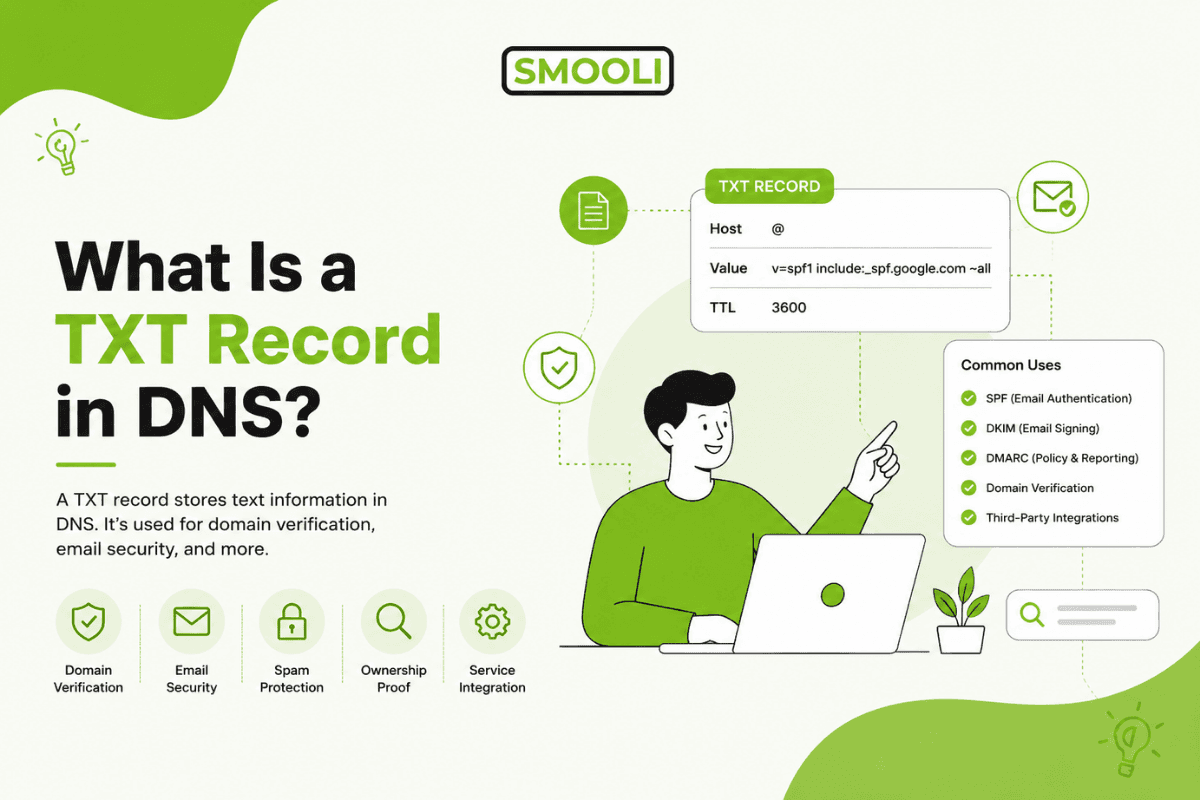
TXT Record Quick Summary:
A DNS TXT record stores text-based information inside a domain's DNS settings. It is commonly used for domain verification, SPF, DKIM, DMARC, email authentication, and security policies. TXT records are public, so they should never contain passwords, private keys, or secret API credentials.
What Is a TXT Record in DNS?
A TXT record in DNS is a type of DNS record that stores text information for a domain. "TXT" simply means "text." At first, TXT records were created to let domain owners add human-readable notes to DNS. Today, they are much more powerful.
TXT records are widely used for domain verification, email authentication, security policies, ownership checks, and service configuration. When a platform such as Google Workspace, Microsoft 365, Mailchimp, Shopify, Meta, or a hosting provider wants to confirm that you own a domain, it often asks you to add a TXT record.
Think of a TXT record as a trusted public note attached to your domain. It does not usually display on your website, but other systems can read it to confirm important information.
For example, a TXT record can say:
"This domain is allowed to send email through these mail servers."
Or:
"This domain belongs to the user who added this verification code."
That makes TXT records one of the most useful and exciting parts of DNS. They help protect your brand, reduce email fraud, and connect your domain with trusted online services.
If you manage multiple domains or want faster diagnostics, modern DNS & Domain utility tools can help you review DNS data, detect mistakes, and save time.
How DNS TXT Records Work
DNS, or Domain Name System, is often called the phonebook of the internet. It connects domain names, such as example.com, to technical information that browsers, email servers, and online tools need.
A TXT record lives inside your domain's DNS zone. This zone is managed by your DNS provider, domain registrar, hosting company, or cloud DNS platform.
When another service needs to check a TXT record, it asks DNS for the TXT value connected to your domain. The DNS resolver then looks up the record from the authoritative name server and returns the text value.
A TXT record usually has these parts:
- Host or name: The domain or subdomain where the TXT record is placed.
- Value or content: The text string that contains the verification code, email policy, or security instruction.
- TTL: Time to Live, which tells DNS resolvers how long to cache the record.
A simple TXT record might look like this:
example.com TXT "google-site-verification=abc123example"
This record tells Google that a verification token exists on the domain. If the token matches what Google expects, ownership can be confirmed.
Why TXT Records Matter
TXT records are valuable because they prove, protect, and connect.
They prove domain ownership. They protect email reputation. They connect your domain to trusted platforms.
Without TXT records, many important services may not work correctly. Your email may land in spam. Your domain may fail verification. Your marketing tools may not connect. Your security policies may not be recognized.
A properly configured TXT record can help with:
- Domain ownership verification
- Email sender authentication
- Phishing protection
- Brand trust
- SaaS platform setup
- Search engine verification
- Email deliverability
- Security policy publishing
This is why website owners should treat TXT records as a serious part of domain management. They are small, but their impact is huge.
Common Uses of TXT Records
TXT records are used in many trusted systems. The most common examples include SPF, DKIM, DMARC, and domain verification.
SPF TXT Records
SPF stands for Sender Policy Framework. It tells receiving mail servers which servers are allowed to send email for your domain.
An SPF TXT record may look like this:
v=spf1 include:_spf.google.com ~all
This means the domain allows Google's mail servers to send email. The final part, ~all, tells receiving servers how to handle emails from unauthorized sources.
SPF helps reduce spoofing, where attackers try to send fake emails using your domain name. This protects your brand and gives email providers a stronger reason to trust your messages.
DKIM TXT Records
DKIM stands for DomainKeys Identified Mail. It uses cryptographic signatures to prove that an email was not changed after it was sent.
A DKIM record is usually added as a TXT record under a special selector, such as:
selector1._domainkey.example.com
The value contains a public key. When your mail server sends an email, it signs the message with a private key. Receiving servers use the public key in DNS to confirm the signature.
DKIM is powerful because it helps prove message integrity. It supports trust between your domain and inbox providers.
DMARC TXT Records
DMARC stands for Domain-based Message Authentication, Reporting, and Conformance. It builds on SPF and DKIM.
A DMARC TXT record tells receiving mail servers what to do when an email fails authentication checks.
A basic DMARC record may look like this:
v=DMARC1; p=none; rua=mailto:dmarc@example.com
The policy can be:
- none: Monitor only
- Quarantine: Send suspicious messages to spam
- Reject: Block failed messages
DMARC is a major step toward stronger email security. It also gives domain owners reports about suspicious email activity.
Domain Verification TXT Records
Many platforms ask you to add a TXT record to prove that you own a domain.
Common services that use TXT verification include:
- Google Search Console
- Google Workspace
- Microsoft 365
- Zoho Mail
- Mailchimp
- Shopify
- Meta Business Manager
- Cloudflare
- Amazon Web Services
This process is safe because only someone with DNS access can add the required TXT value. Once the platform sees the correct value in DNS, it confirms ownership.
TXT Records and DNS Propagation
After you add or update a TXT record, the change may not appear everywhere instantly. DNS resolvers often cache old values until the TTL expires.
This waiting period is commonly called DNS propagation. In many cases, TXT records update quickly, but timing depends on your DNS provider, TTL settings, recursive resolvers, and global DNS cache behavior.
To understand timing in more detail, read this helpful guide on How long does DNS propagation take.
The key point is simple: if you add a TXT record and a platform does not detect it right away, do not panic. Wait a little, check the record carefully, and confirm that it was added to the correct DNS zone.
How to Add a TXT Record
The exact steps depend on your DNS provider, but the basic process is usually similar.
- Sign in to your domain registrar, hosting account, or DNS provider.
- Open the DNS management area.
- Choose the correct domain.
- Add a new TXT record.
- Enter the host or name exactly as provided.
- Paste the TXT value exactly as provided.
- Set the TTL or leave the default.
- Save the record.
- Verify the record with the service that requested it.
Accuracy matters. A small typo can break verification or email authentication.
For example, adding a TXT record to the wrong host, using extra spaces, missing quotation marks in some systems, or entering the wrong domain can cause the record to fail.
Best Practices for Managing TXT Records
Good DNS habits build trust and prevent costly issues.
First, always copy TXT values exactly from the service requesting them. TXT records often include symbols, semicolons, underscores, and long keys. Changing even one character can cause failure.
Second, avoid having multiple SPF records on the same domain. A domain should normally have one SPF TXT record. If you use multiple email services, combine them into one valid SPF record.
Third, document every TXT record. Keep a clear note of what each record does, who requested it, and whether it is still needed. This keeps your DNS zone clean and safe.
Fourth, remove old verification records when they are no longer required, but only after confirming they are not still used by an active service.
Fifth, use trusted DNS checking tools after making changes. This helps you confirm that the public DNS result matches what you intended.
Common TXT Record Mistakes
TXT records are simple, but mistakes are common.
One frequent issue is adding the record at the wrong level. For example, a platform may ask for a TXT record at _dmarc.example.com, but the user adds it to example.com.
Another common mistake is creating duplicate SPF records. This can cause SPF checks to fail, which may damage email deliverability.
Some users also paste values with missing characters or extra formatting. Long DKIM keys can be especially easy to break if copied incorrectly.
Other problems include:
- Updating DNS at the wrong provider
- Forgetting that the nameservers were changed
- Expecting instant propagation
- Using an incorrect TTL
- Deleting active records by mistake
- Confusing TXT records with MX, CNAME, or A records
The good news is that most TXT record issues are fixable. With careful checking, you can usually find and correct the problem fast.
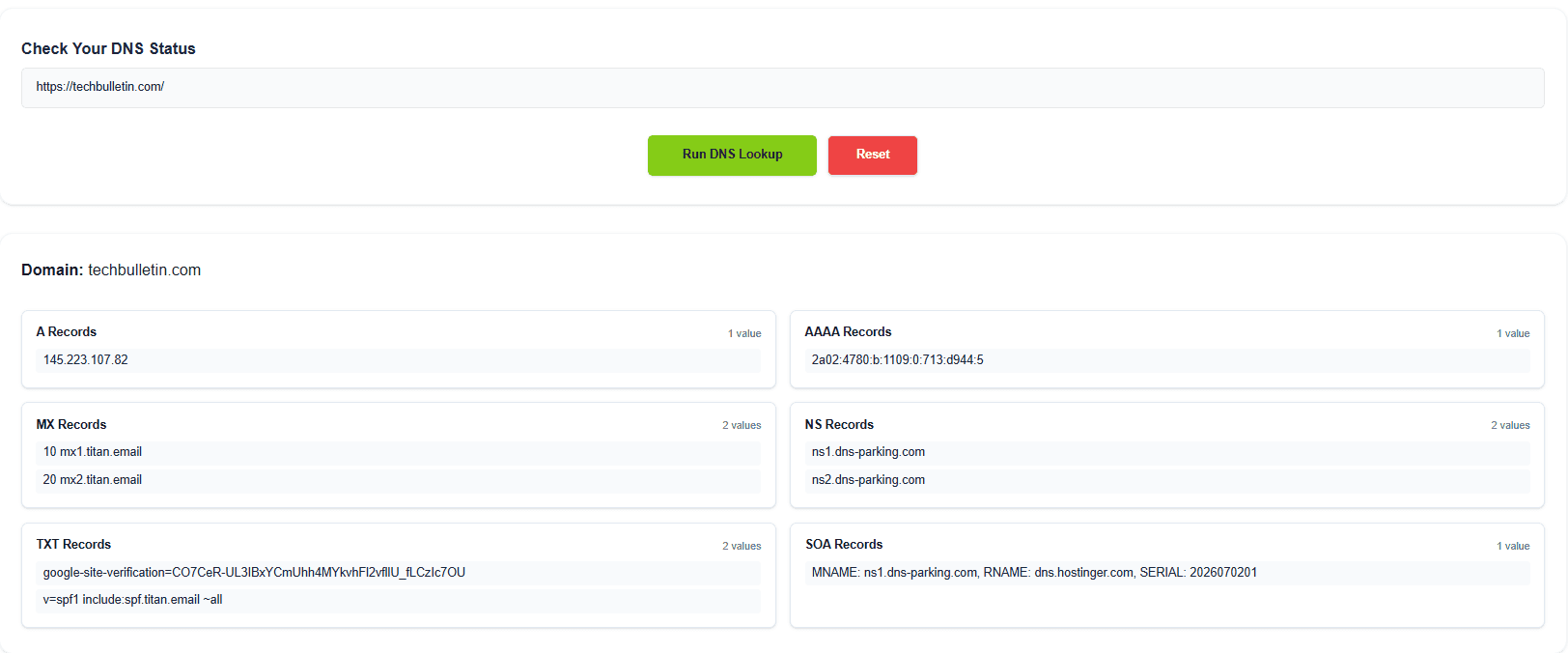
How to Check a TXT Record
You can check a TXT record using DNS lookup tools, command-line tools, or online DNS checkers.
For a fast public lookup, you can check the TXT record here and confirm whether your TXT record is visible.
Technical users can also use commands such as:
dig TXT example.com
Or:
nslookup -type=TXT example.com
When checking a TXT record, compare the result against the value required by your email provider, verification service, or security tool.
Look carefully at:
- The domain or subdomain being queried
- The full TXT value
- SPF syntax
- DKIM selector
- DMARC policy
- Propagation status
If the record does not appear, confirm that your domain is using the DNS provider where you made the change.
TXT Record vs Other DNS Records
TXT records are different from other DNS record types.
An A record points a domain to an IPv4 address. An AAAA record points to an IPv6 address. A CNAME record points one hostname to another hostname. An MX record tells mail servers where to deliver email. A TXT record stores text-based information that other systems can read.
TXT records do not usually direct website traffic. They support verification, security, and policy communication.
That makes them especially important for trust. A website can load correctly while email authentication is broken in the background. TXT records help solve that hidden layer.
Are TXT Records Safe?
TXT records are safe when used correctly. They are public, which means anyone can look them up. For that reason, you should never place passwords, private keys, secret API keys, or confidential information in a TXT record.
Verification codes, SPF rules, DKIM public keys, and DMARC policies are designed to be public. Private credentials are not.
A safe TXT record should only include information that the requesting service expects to be visible in DNS.
Who Should Manage TXT Records?
TXT records can be managed by website owners, IT administrators, developers, email specialists, DNS managers, or technical SEO teams.
For small businesses, the person managing the domain registrar may add them. For larger companies, DNS changes may require approval from IT or security teams.
Because DNS affects website access, email delivery, and brand trust, it is smart to limit editing access to trained people. Review changes before saving them, and keep records of important updates.
Why TXT Records Are a Big Deal for Modern Domains
TXT records may look small, but they help power a safer internet.
They help search engines verify ownership. They help email providers fight spam. They help businesses connect to trusted platforms. They help customers receive real messages instead of fake ones.
For any serious website, TXT records are not optional technical clutter. They are a smart trust layer.
When configured well, they give your domain a stronger foundation. Your email becomes more credible. Your services connect more reliably. Your brand becomes harder to impersonate.
That is a major win for security, growth, and confidence.
FAQs About TXT Records in DNS
What is a TXT record used for?
A TXT record is used to store text information in DNS. Common uses include domain verification, SPF, DKIM, DMARC, email authentication, and security policies.
Is a TXT record required for email?
A TXT record is not required to send basic email, but it is strongly recommended. SPF, DKIM, and DMARC TXT records help improve email trust, reduce spoofing, and protect deliverability.
Can a domain have multiple TXT records?
Yes, a domain can have multiple TXT records. However, a domain should usually have only one SPF record. Other TXT records, such as verification records and DKIM records, can exist separately.
How long does a TXT record take to update?
TXT record updates can appear within minutes, but they may take longer depending on DNS caching, TTL, and your DNS provider. Some global updates may take several hours.
Why is my TXT record not showing?
Common reasons include adding the record at the wrong DNS provider, using the wrong host value, typing the TXT value incorrectly, or waiting for the DNS cache to expire.
Can anyone see my TXT records?
Yes. TXT records are public DNS records. Do not add passwords, private keys, secret tokens, or confidential data to TXT records.
What is the difference between TXT and MX records?
An MX record tells mail servers where to deliver email. A TXT record stores text-based instructions or verification data, often used for email security and domain ownership.
Do TXT records affect website speed?
TXT records do not normally affect website loading speed. They are mainly used by email systems, verification platforms, and security tools.
Final Thoughts
A TXT record in DNS is a simple text-based record with powerful benefits. It helps verify domain ownership, protect email, support trusted platforms, and strengthen your online reputation.
For website owners and businesses, understanding TXT records is a practical advantage. You do not need to be a DNS expert to use them well. You only need to know what they do, why they matter, and how to check them carefully.
With clean TXT records, your domain becomes more trustworthy, more secure, and better prepared for modern online growth.