Al Image vs Real Photo: How to Tell the Difference With Confidence
Al images are getting incredibly realistic. A few years ago, spotting an Al-generated picture was easy. You could look for strange hands, blurry faces, melted objects, or unreadable text. Today, Al image generators can create polished portraits, product shots, lifestyle photos, social media visuals, and news-style images that look almost real at first glance.
That progress is exciting. It gives creators, marketers, designers, freelancers, and small businesses more ways to create visuals faster. But it also creates a new challenge: how can you tell the difference between an Al image and a real photo?
The best answer is simple: do not rely on one clue. A real photo can look strange because of lighting, motion blur, editing, or camera distortion. An Al image can look clean, sharp, and believable. To make a smart decision, you need to check the image from different angles: visual details, context, metadata, source history, provenance signals, and Al detection tools.
For a deeper step-by-step guide, Smooli Al also explains how to Detect Al Generated Images using practical checks and tools.
Why It Is Getting Harder to Spot Al Images
Modern Al image models have improved fast. They are better at faces, shadows, realistic backgrounds, skin texture, product mockups, clothing, and lighting. This means old detection tricks are no longer enough.
For example, hands and fingers are still useful to inspect, but they are not always a clear giveaway. Many newer Al images now generate hands correctly. At the same time, real photos can show odd hand shapes because of movement, camera angle, or compression.
This is why image verification now works best as an evidence-based process. You are not just asking, "Does this look fake?" You are asking, "What proof supports this image being real, edited, Al-generated, or used out of context?"
That small mindset shift makes your judgment more accurate and more professional.
The Fast Difference Between an Al Image and a Real Photo
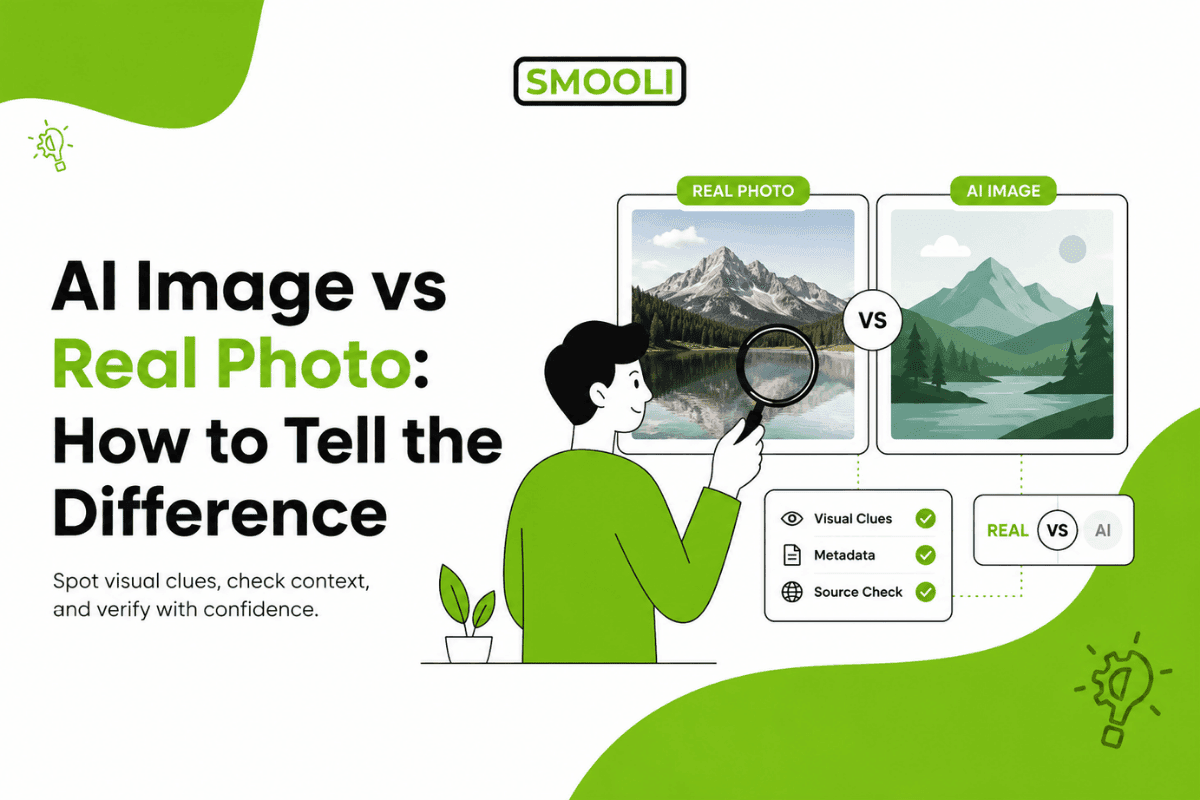
A real photo is usually captured by a camera. It may include camera metadata, natural imperfections, physical lighting behavior, and a traceable source. An Al image is generated by software from a prompt, reference image, or model output. It may look realistic, but it can contain small logic errors that do not match the real world.
Here is a simple comparison:
| Checkpoint | Real Photo | Al Image |
|---|---|---|
| Source | Captured by a camera | Generated by an Al model |
| Metadata | May include EXIF camera data | May have missing, edited, or software-based data |
| Details | Natural imperfections | Possible distortions in hands, text, objects, or patterns |
| Lighting | Usually follows real-world physics | Can contain subtle shadow or reflection errors |
| Context | May have a traceable history | May appear online with little or no source history |
This does not mean every image with missing metadata is Al-generated. Social platforms often remove metadata. It also does not mean every perfect-looking image is fake. Professional photos can look extremely polished.
The key is to combine signals.
Real-World Example: Al Headshot vs Real Photo
A strong real-world example comes from Business Insider, where a writer compared Al-generated Linkedin headshots with a real office photo. The test showed how difficult it has become for everyday users to identify the real image. Many LinkedIn users could not clearly tell which headshot was real, and some even preferred the more polished Al version.
This example is useful because it shows an important point: AI images are not always easy to spot from one detail alone. A headshot may look professional, sharp, and believable, but small clues can still reveal AI involvement.

The photo on the left was generated with Gemini. The picture on the right was taken by my colleague.
The Business Insider example is a helpful reminder that “better-looking” does not always mean “more real.” For personal branding, LinkedIn profiles, author bios, team pages, and professional websites, authenticity still matters. A slightly imperfect real photo can often feel more trustworthy than an overly polished AI image.
Start With the Most Obvious Visual Clues
Visual inspection is still the fastest first step. Zoom in and study the image carefully, especially around areas where Al tools often make mistakes.
Look at these areas first:
1. Hands and fingers
Check for extra fingers, merged fingers, strange nails, broken knuckles, or unnatural wrist angles.
2. Eyes and faces
Look for mismatched eyes, uneven pupils, waxy skin, strange teeth, or mismatched ears.
3. Text and logos
AI often struggles with small text. Street signs, packaging, labels, badges, certificates, and logos may look almost correct but include fake letters or odd spacing.
4. Background details
Study shelves, chairs, windows, plants, crowds, jewelry, cables, and furniture. AI may create objects that blend or repeat unnaturally.
5. Edges and object boundaries
Hair, glasses, fingers, clothing folds, and jewelry can reveal small distortions.
These signs are helpful, but they are not final proof. Treat them as warning signals that tell you to investigate further.
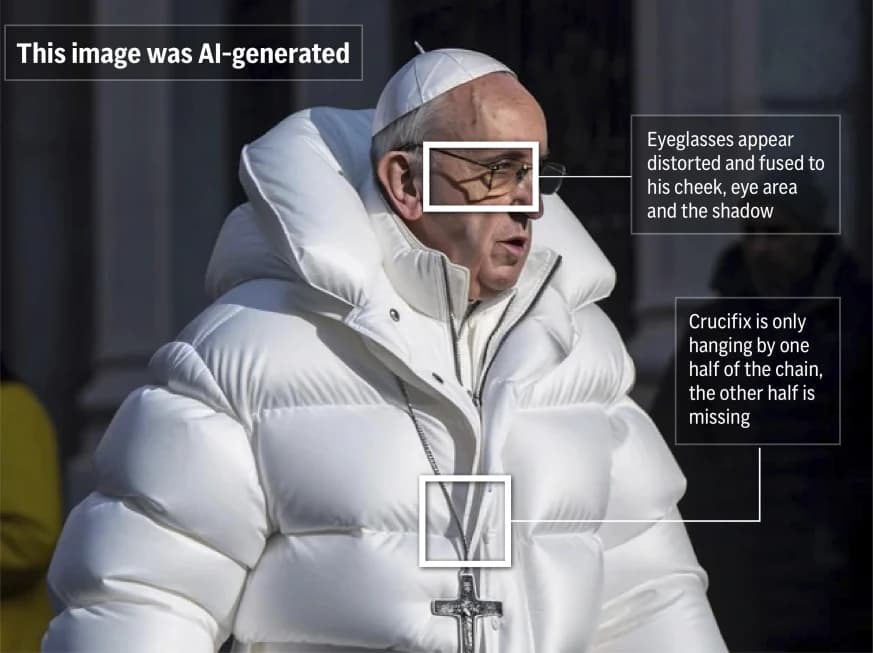
You can read the complete reference article here.
Check Lighting, Shadows, and Reflections
Real photos follow the rules of light. Al images can imitate those rules, but small mistakes still happen.
Look at where the light is coming from. If sunlight enters from the left side, shadows should generally fall in a consistent direction. If a person is standing near a window, the highlights on their face, hair, and clothes should match that window.
Reflections are even more useful. Check mirrors, glasses, water, shiny tables, cars, screens, and sunglasses. A reflection should match the scene. If the reflection shows missing objects, wrong angles, or a different body position, the image deserves closer review.
For product images, check the shadow under the product. Al-generated product mockups sometimes create shadows that are too soft, too perfect, or disconnected from the object.
Use Reverse Image Search for Stronger Context
Reverse image search helps you understand where an image came from. It may not directly prove whether an image is Al-generated, but it can reveal whether the image has appeared before.
Use tools like Google Lens, Google Images, TinEye, or another visual search tool. Upload the image or paste the image URL, then check:
- Has the image appeared online before?
- Was it posted before the event, as it claims to show?
- Is it linked to another person, place, or story?
- Does a higher-quality version exist?
- Are fact-checkers or news sites discussing it?
This is important because not all suspicious images are Al-generated. They may be real photos used in the wrong context. For example, a real flood image from 2022 could be shared as a current event in 2026. In that case, the problem is not Al generation. The problem is misleading context.

Check Metadata, but Do Not Trust It Alone
Metadata is information stored inside an image file. A camera photo may include EXIF data such as camera model, lens, shutter speed, aperture, ISO, GPS location, and creation date.
Al-generated images may have missing metadata, software-related metadata, or generation details. Some images may also include Content Credentials, which can show how the image was created or edited.
However, metadata has limits. Social media platforms, messaging apps, and website compression tools often remove metadata. Metadata can also be edited. So missing metadata does not automatically mean an image is Al-generated.
Use metadata as supporting evidence, not the whole verdict.
Look for Provenance Signals and Content Credentials
Provenance means the history of a digital file: who created it, how it was made, and what changed over time. This is becoming more important as Al content becomes common.
The C2PA standard supports Content Credentials, which work like a digital label for media authenticity. C2PA describes its system as a way to verify content sources and provenance, while Adobe explains that Content Credentials can include information about the creator and whether content was captured, edited, or generated with Al.
Google DeepMind's SynthID is another important technology. It embeds invisible watermarks into Al-generated content that humans cannot see but supported systems can detect.
These signals are valuable, but they are not perfect. NIST notes that synthetic content detection can involve metadata, watermarking, provenance records, or direct detection methods, and each method has limits depending on how content is created, edited, shared, or transformed.
In simple terms, provenance helps, but smart verification still requires more than one check.
Use an Al Image Detector as Supporting Evidence
Al image detectors can quickly analyze a picture and estimate whether it may be Al-generated. They are useful when you need a fast second opinion, especially for blog images, social media posts, profile pictures, digital ads, product visuals, and user-submitted images.
Smooli Al offers a Free Al Image Detector that can support your review process. Upload the image, check the result, and compare it with your visual inspection, metadata review, and source research.
The most trustworthy approach is not "tool versus human." It is a tool plus human judgment. A detector gives you a signal. Your job is to compare that signal with the rest of the evidence.
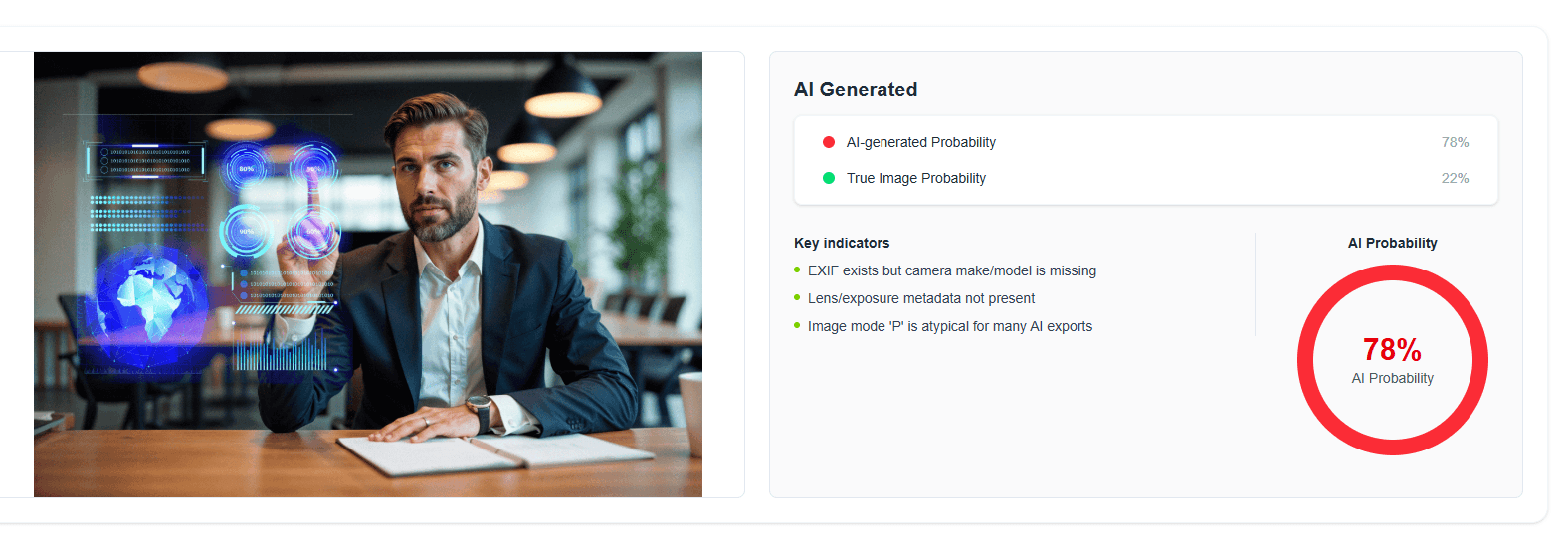
Check Out Smooi AI - Image Detector
A Simple Workflow to Tell If an Image Is Al or Real
Use this quick process when you need to review an image:
1. Save the best-quality version
Avoid judging only from a tiny screenshot or compressed social media preview.
2. Zoom in on details
Check hands, eyes, teeth, logos, background objects, edges, and reflections.
3. Check the context
Ask where the image came from, who posted it, and what claim is attached to it.
4. Run a reverse image search
Look for older versions, sources, or fact-checking results.
4. Review metadata
Check camera data, editing software, dates, and any Content Credentials.
4. Use an AI detector
Treat the result as supporting evidence, not a final verdict.
4. Make a risk-based decision
If the image affects reputation, news, legal claims, health, safety, or money, verify more carefully before using or sharing it.
This workflow is simple, fast, and much stronger than guessing.
Special Tips for Marketers, SEO Teams, and Website Owners
If you publish content online, image trust matters. Visuals can affect brand credibility, conversions, user engagement, and search performance. Al-generated visuals can be useful, but they should be used responsibly.
For blogs, landing pages, ads, and product content:
- Use Al images when they add value.
- Avoid using Al images to mislead users.
- Disclose Al use when it matters to trust.
- Keep original files when possible.
- Compress images without destroying quality.
- Add useful alt text for accessibility and SEO.
- Use original visuals when authenticity is important.
Image quality also matters for page speed. Large image files can slow down a website and hurt user experience. If your team works with many visuals, review Smooli Al's guide to the Top Image Compression Tools to keep images lighter and faster without losing clarity.
Common Mistakes to Avoid
The biggest mistake is relying on one clue.
Do not assume an image is Al-generated only because it looks too perfect. Professional photographers, editors, and designers can create very polished visuals. Do not assume an image is real only because it has camera metadata. Metadata can be edited or copied.
Also, do not use Al detection tools as the only decision-maker. Detectors are helpful, but no tool is perfect in every case. The most reliable process is layered: inspect the image, check the source, review metadata, look for provenance, and use a detector.
When You Cannot Know for Sure
Sometimes, you will not have enough evidence. The image may be heavily compressed, screenshotted, cropped, edited, or stripped of metadata. In those cases, the honest answer is: "This image cannot be verified with confidence."
That is not a failure. It is responsible judgment.
For low-risk uses, such as a decorative blog graphic, that may be enough. For high-risk uses, such as news, legal evidence, product claims, financial information, or public safety, you should ask for the original file, contact the source, or avoid using the image until it is verified.
Final Thoughts
The difference between an Al image and a real photo is not always obvious. Modern Al images can look impressive, clean, and believable. Real photos can look strange, edited, or imperfect.
That is why the strongest method is evidence-based verification. Check visual details. Study lighting and reflections. Search for the image online. Review metadata. Look for Content Credentials. Use an Al image detector. Then decide based on the full picture.
Al is making visual content more exciting than ever. With the right checks, you can enjoy that creativity while keeping your content accurate, trustworthy, and ready for real audiences.
Frequently Asked Questions
How can I tell if a photo is Al-generated?
Start by checking hands, eyes, teeth, text, logos, shadows, reflections, and background objects. Then use reverse image search, metadata review, provenance checks, and an Al image detector for stronger confidence.
Are Al image detectors always accurate?
No. Al image detectors are useful, but they are not perfect. Use them as supporting evidence along with visual inspection, source checking, metadata, and context.
Does missing metadata mean an image is Al-generated?
No. Many platforms remove metadata when images are uploaded or shared. Missing metadata is only one signal and should not be treated as final proof.
What is the easiest sign of an Al image?
Small text is often one of the easiest clues. Al images may contain broken letters, fake words, odd logos, or unreadable labels. Hands, reflections, and background objects are also useful areas to inspect.
Can real photos look fake?
Yes. Real photos can look unusual because of lighting, editing, compression, camera lenses, motion blur, or strange angles. That is why you should avoid judging only by appearance.
Can Al images be used safely in marketing?
Yes, Al images can be useful in marketing when they are used honestly and responsibly. Avoid using Al visuals to mislead people, especially for product claims, testimonials, news, health, finance, or legal topics.
What should I do before sharing a viral image?
Check the source, run a reverse image search, inspect the details, look for fact-checks, and use an Al detector if the image seems suspicious. If the image affects people's reputation or safety, do not share it until verified.
Is a screenshot harder to verify than an original image?
Yes. Screenshots often remove metadata and reduce image quality. Whenever possible, check the original file or the highest-quality version available.